Shopify API: A Survival Guide for Developers (What the Docs Don’t Tell You)

Written By: Ricardo Perez
 Published: February 19, 2026
Last Updated: 19/02/2026
 Reading Time: 5 min read
Want to stay in the loop?
Subscribe to receive updates, insights, and special offers straight to your inbox.
If I’m being honest, my biggest frustrations with the Shopify API usually stem from one core realization: Shopify is not your private database.
On paper, everything looks clean. You hit an endpoint, you get data. But in the real world—the world of thousands of SKUs and flash sales—things get messy fast. If you’re building your first integration, don’t underestimate the complexity. You aren't just connecting to a tool; you're building on top of a living business system that has its own rules, limits, and occasional failures.
The Reality Check: Shopify Is Not Your Private Database
The first major hurdle is the "Developer's Shock." Everything works perfectly in your development store with five products and zero traffic. But the second you move to production with thousands of SKUs, you hit the wall.
The Rate Limit Bumping: From Dev to Prod
I used to think rate limits were just a minor detail until I built an app for mass product synchronization. In dev, it was lightning fast. In prod, I started getting hit with delays, retries, and 429 errors. That’s when you understand the Leaky Bucket algorithm. You cannot treat Shopify like a local SQL instance. You have to design your logic around "retries" and "delays" from day one. If you don't, your app won't just be slow—it will break.
REST vs. GraphQL: Surviving the Learning Curve
The transition from REST to GraphQL was... interesting. Coming from the world of clear, dedicated endpoints, I was frustrated by having to build complex queries and think about "edges" and "nodes."
Why "Nodes" and "Costs" Will Make You a Better Dev
Eventually, you’ll learn to love GraphQL. It is significantly more efficient because it allows you to pull complex, nested data in a single call. However, the learning curve is real. You have to start thinking in terms of Query Cost.
Pro Tip: Never trust the urge to "pull everything" at once. I’ve seen people build massive queries to avoid multiple requests, only to have them rejected because the GraphQL cost was too high. My rule? Paginate everything, limit your fields, and treat your API quota like gold.
Webhooks: Designing for the Inevitable Failure
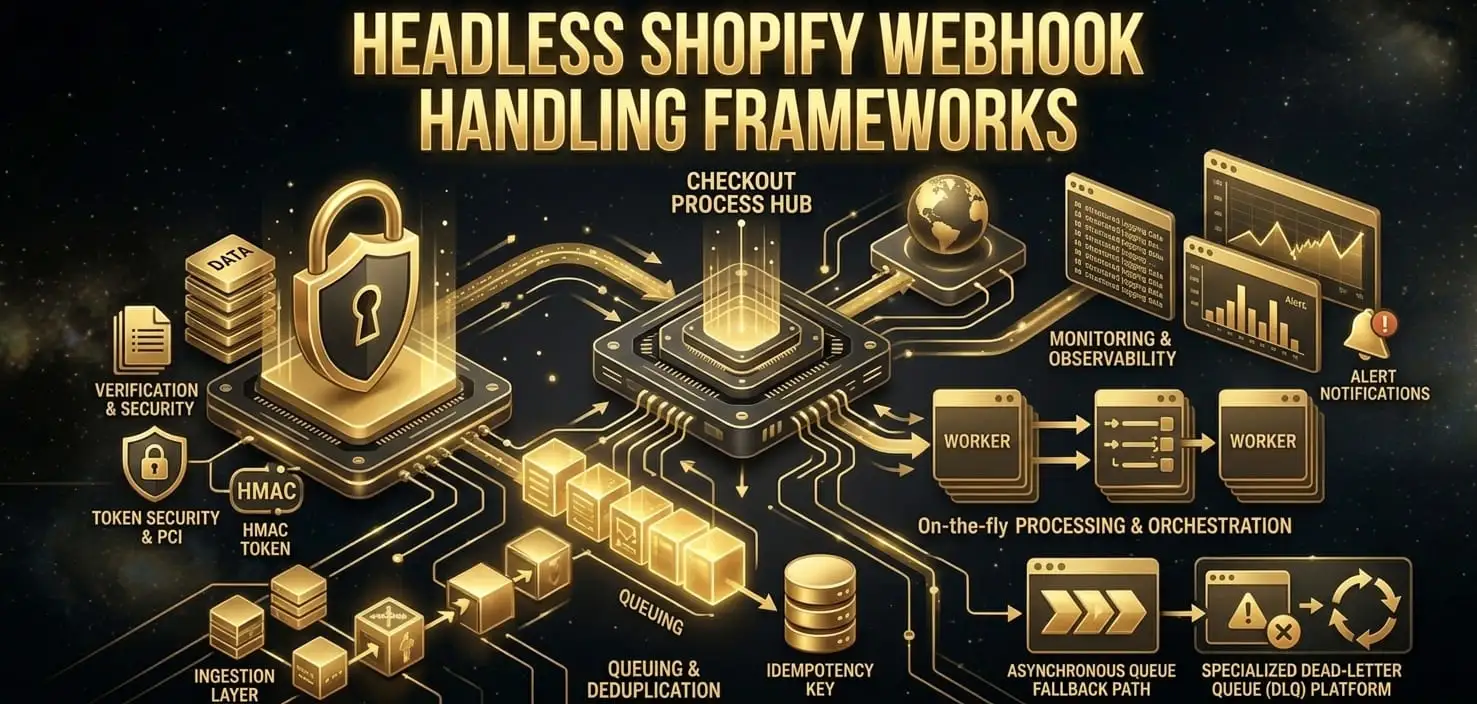
Webhooks are technically your best ally for real-time sync, but in practice, they are not 100% reliable. I’ve dealt with cases where an order is created, but the webhook never arrives. If you don't have a backup system, your data is now out of sync, and in eCommerce, that means angry customers.
What Happens When the Webhook Fails?
Nowadays, I always design with a "what if this fails?" mindset. Because it will fail. You need a reconciliation strategy—whether that’s a periodic polling of the orders endpoint or a system that verifies data integrity. Assume Shopify is an external system that can lag or drop a packet. If you assume perfection, you’re setting yourself up for a 2:00 AM debugging session.
Admin API vs. Storefront API: Right Tool, Right Job
A common mistake I see is forcing the Storefront API into backend tasks.
- Admin API: This is your command center. Use it for internal store data—orders, inventory, and customer management. This is where the real control happens.
- Storefront API: This is for public-facing experiences, like a headless frontend. It's built for speed and showing products, not for managing the "guts" of the business.
Trying to manage inventory or backend logic through the Storefront API is like trying to drive a car from the back seat—it’s possible, but it’s definitely not how it was designed to work.
Authentication and OAuth: Don't Reinvent the Wheel
My rule for authentication is simple: follow Shopify’s OAuth flow to the letter and don't try to get "creative." Most bugs I’ve seen come from poorly handled tokens or ignoring scopes. If you’re working with multiple stores, keep your tokens organized and handle expiration/re-auth errors gracefully. It sounds basic, but it’s the foundation of a secure app.
Battle-Tested Advice for Your First Integration
If you’re about to write your first line of code for a Shopify integration, here is my "trench" advice:
- Start Small: Test everything in a dev store, but simulate "weird" cases immediately.
- Edge Case Simulation: What happens with duplicate orders? What if a customer cancels mid-process? What if the network drops?
- Caching is Religion: Don't ask Shopify for the same data twice if you can store it (safely) for a few minutes.
Conclusion: Design for a System That Can Fail
Shopify is a powerful, friendly ecosystem, but under the hood, it’s a massive, complex machine. If you design your integration assuming everything will arrive perfectly and in real-time, you’re going to hit a wall. Build with a "healthy paranoia." Design for retries, handle your costs, and always have a backup for your webhooks.
If you do that, you’ll stop fighting the API and start building tools that actually scale.
FAQ
What is the difference between REST and GraphQL in Shopify? REST is easier to start with but is less efficient for complex data. GraphQL allows you to get exactly what you need in one request but requires you to manage "Query Costs" and "Nodes."
How do I handle Shopify API rate limits?
Implement a retry logic with an exponential backoff. Monitor the X-Shopify-Shop-Api-Call-Limit header in REST or the extensions.cost object in GraphQL to know how much "room" you have left in your bucket.
Why are my webhooks not being delivered? It could be due to a server timeout on your end (you must respond with a 200 OK quickly) or occasional network issues. Always implement a "reconciliation" job to catch what the webhooks might miss.
Latest Articles

Incremental Static Regeneration (ISR) for Headless Shopify with Next.js